MerchantsPayment links
Payment links
A reusable link that sells one price of one product from Fianto's checkout. When to use one, how a sale works, its statuses and its limits.
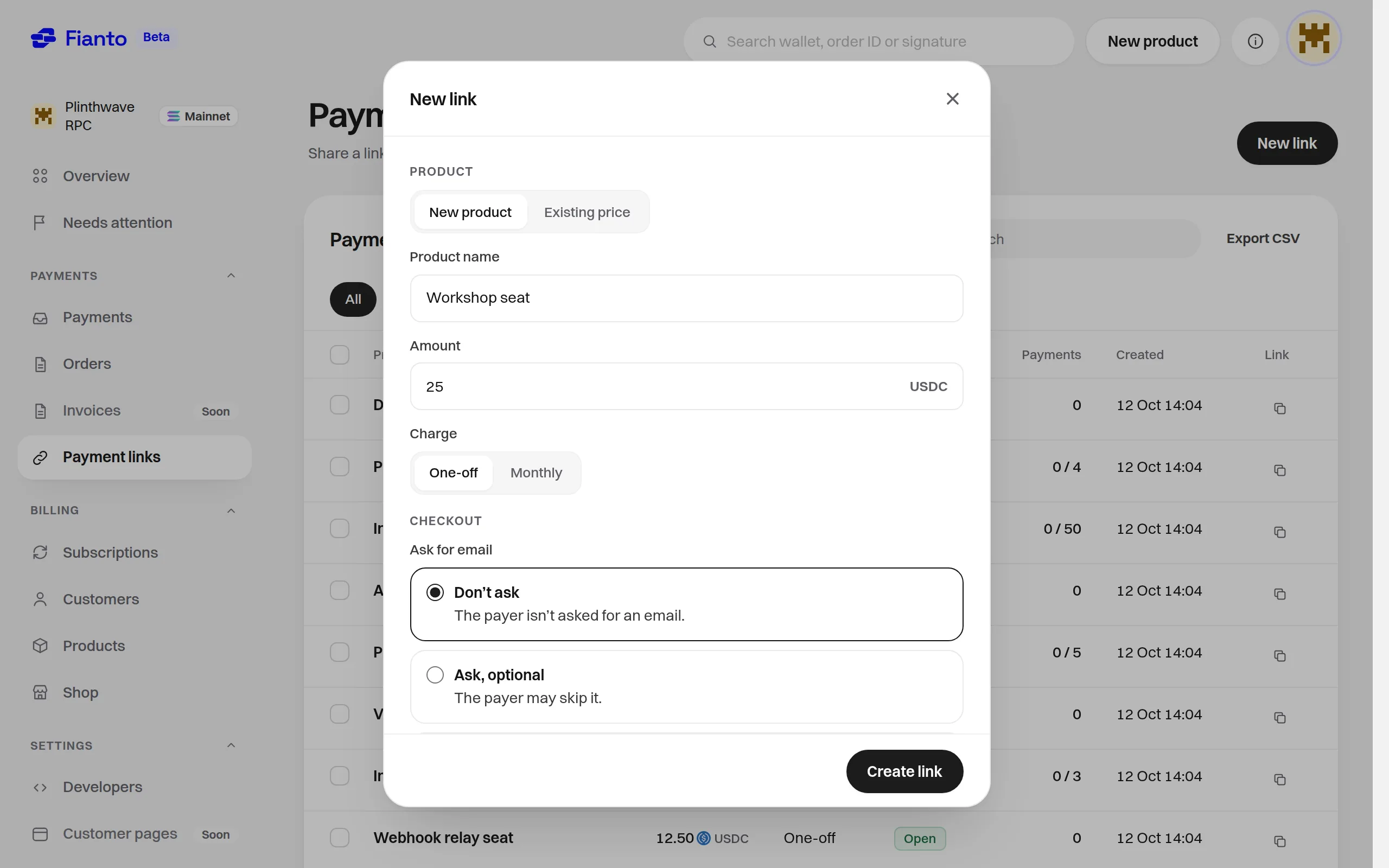
A payment link is a reusable address that sells exactly one of your prices, of one product. You make it in the dashboard under Payment links, in the Payments group, then share it wherever you like. Anyone who has the link can pay it, as many times as you allow: each click on the pay button opens a fresh checkout of that one price: a new order for a one-time price, a new subscription for a recurring one.
A link reads https://checkout.fianto.xyz/l/ followed by 16 random letters and digits. Fianto makes
the code when you create the link and never changes it; you can't choose it, and a link has no domain
of its own.
Link, shop or API?
- A payment link sells one price with nothing to build: you create it and share the address. A one-time price makes a one-time payment, a recurring price makes a subscription.
- A shop is a page of your own at
<name>.fianto.xyzthat lists your products, shows each buyer a message and a link after paying, and emails them to buyers who give an email. - The v1 API is for checkouts started from your own site or app, by your own server.
How a sale works
- You create a link for one price and copy its address.
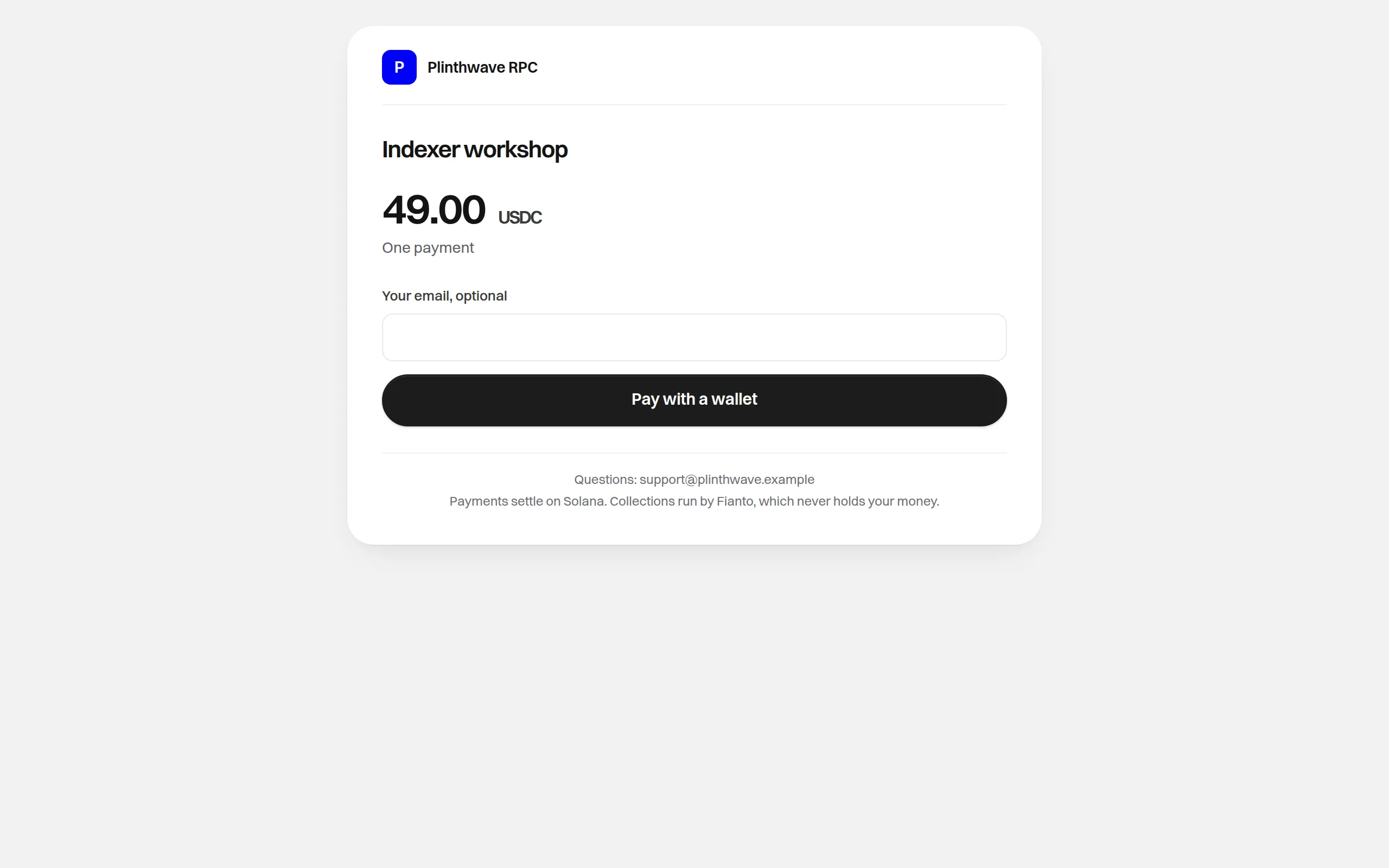
- A payer opens it and sees one card: your name, the product, the price in USDC and a pay button. If you ask for an email, they type it there.
- The button sends them to Fianto's checkout page for that one price. They pay from their Solana wallet, exactly as for any other checkout; the service fee (and, for a subscription, the network fee) is added there.
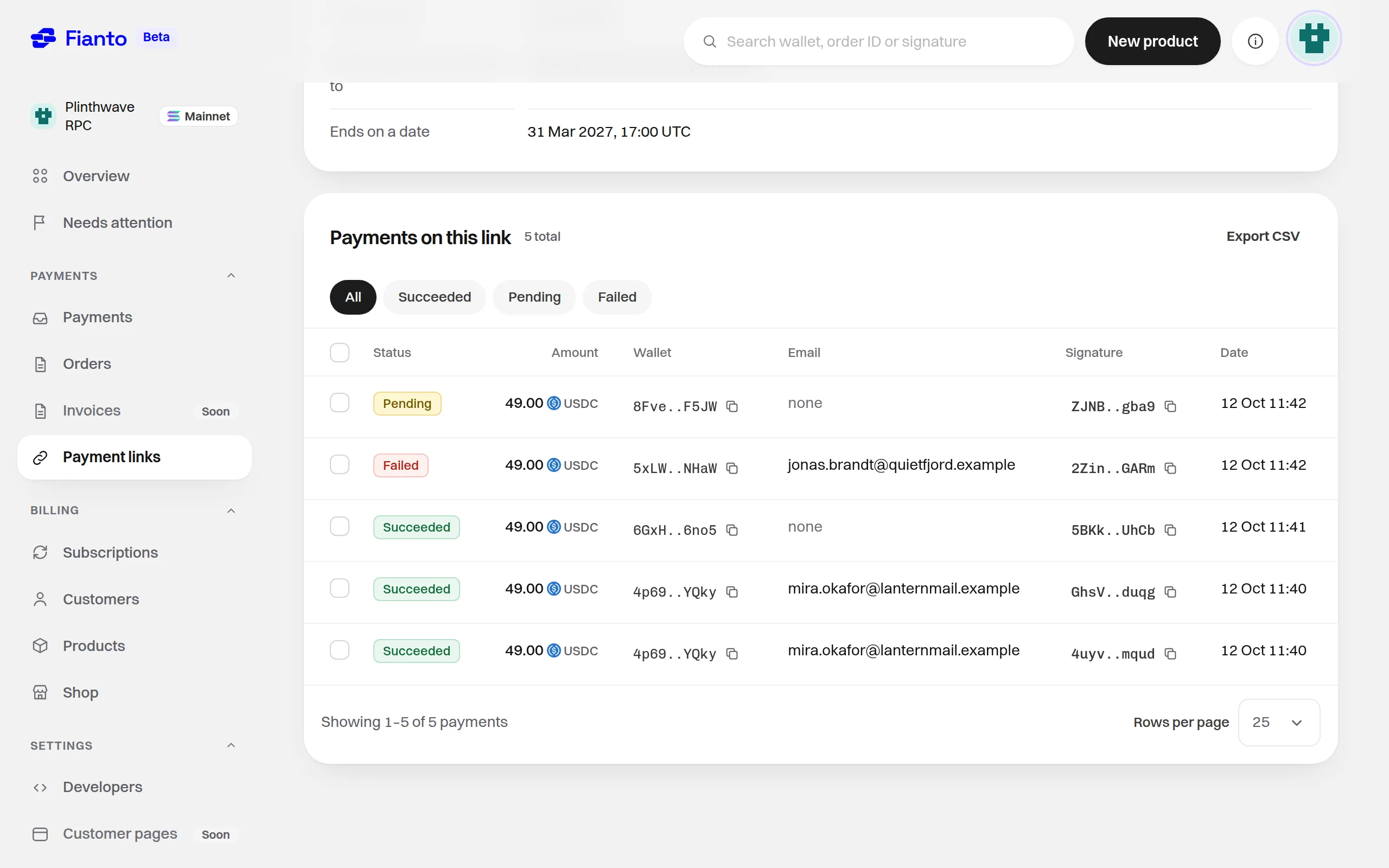
- The payment goes straight to your wallet. A one-time payment appears in Orders and Payments, a subscription in Subscriptions and Payments, both in Customers, like any other sale, and on the link's own page under "Payments on this link".
Statuses
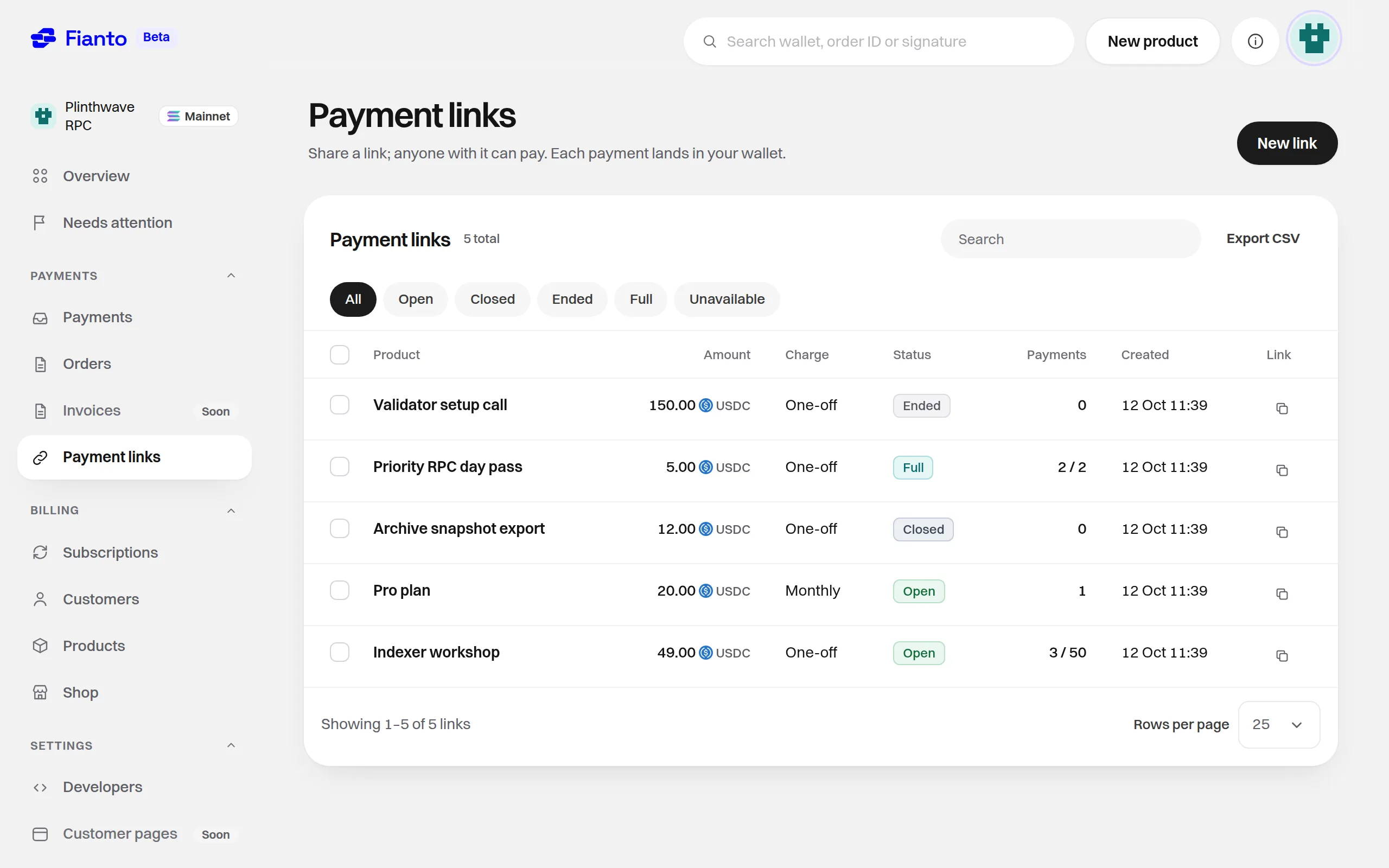
A link's status is worked out every time it is read, in this order; the first that applies wins. Only an Open link takes payments. On any other, the payer sees "This link is closed" and cannot pay.
| Status | Meaning |
|---|---|
| Closed | You closed it. |
| Unavailable | Its price, or that price's product, has been ended. |
| Ended | Its end date has passed. |
| Full | It has a payment limit and has reached it. |
| Open | None of the above: it takes payments. |
Because status is worked out rather than stored, a later end date or a higher limit makes an Ended or Full link Open again. Ending a price turns every link on it Unavailable at once.
Limits
- End date ("Ends on a date"): optional. From that moment the link reads Ended.
- Payment limit ("Ends when full"): optional, a whole number from 1 to 10,000. It counts paid payments only: a one-time order that is Paid, or a subscription whose first payment succeeded. Visits, clicks and checkouts nobody paid are not counted. When the paid payments reach the limit, the link reads Full.
- The place a payer holds while paying. When a link has a limit, Fianto checks it again just before the payer's wallet opens. If there is room, that payer holds a place for 5 minutes, renewed each time their checkout prepares the transaction again. Places held by other payers count toward the limit at that check, so a payer can be turned away before their wallet opens. One wallet holds at most one place on a link. Visitors who never start paying hold nothing.
- Money that reaches Solana is always settled. A payment that lands after its hold ran out still pays, so a link can end up a little over its limit.
- How many links you can keep: 1,000 links that are not closed, and 10,000 in all, closed ones included.
What a link can't do
- It sells one price of one product: there is no cart and no quantity, and the price never changes. To charge a different amount, make a new link.
- You can't delete a link: you close it, and you can reopen it.
- Closing a link stops new payments only. It cancels nothing already paid, and a subscription bought through it carries on with its plan; ending the price is what ends the plan.
- Fianto sends the payer no email about a link payment, and there is no refund through Fianto: you send money back from your own wallet.
- Payment links live in the dashboard only. There is no v1 endpoint or SDK method for them.
Before approval
The Payment links page opens before Fianto approves your account, but its list is empty and New link opens the same dialog as other actions before approval, for example "Set up your account first". See Review and approval.
What you can do
See also
Was this page helpful? Tell us
After a shop sale
What the buyer's receipt page and email show, your sale email, the daily email allowance, and where a shop sale appears in the dashboard.
Create a payment link
Create a payment link for a new product or an existing price, choose its email, after-payment, end date and limit options, then share it.